Private iOS testing / Interface preview
AI coach
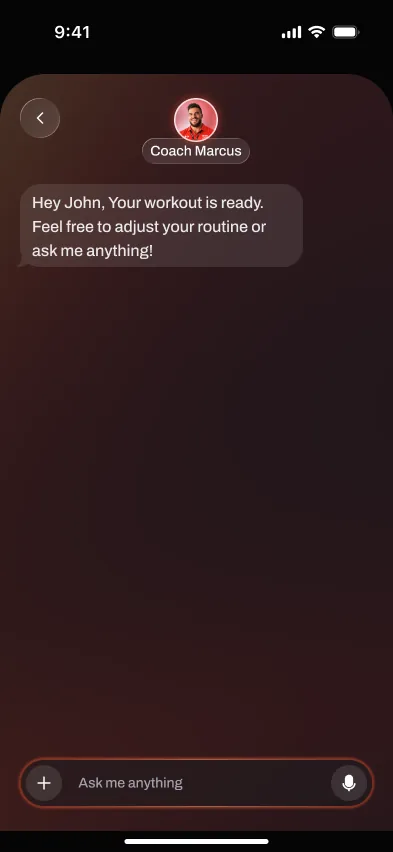
An AI coach that programs and adapts your training
Brace AI builds your plan, explains every choice, and reshapes your next session based on what you actually lifted. It is the coaching layer most apps leave out.
Short answer
Reviewed June 2026
The AI coach turns a workout tracker into an actual training plan. You tell it your goals, experience, and equipment once. From there it writes each session, adjusts loads as you progress, and answers questions in chat the way a good coach would.
We judge the workflow by what happens during real training: starting the session, logging cleanly, keeping momentum between sets, and turning workout history into a useful next step. Product screens shown here come from private testing and do not represent a public store release.
The workflow
How the AI coach works
- 01
Set your profile
A short chat covers your goals, experience, schedule, and the equipment you can train with.
- 02
Get your program
The coach generates a full training block with sessions mapped to your week, not a generic template.
- 03
Train and log
Log sets as you go. The coach watches your reps, loads, and effort in real time.
- 04
Let it adapt
After each session it adjusts the next one: more load when you are ready, a back-off when you are not.
Why it matters
What you get from a coach in the app
Answers in context
Ask about a sore knee, a swap, or a missed week and get a specific answer based on your own data.
A plan with a reason
Every load and rep target comes with the why, so you understand the program instead of just following it.
Fits your real week
Travel, a busy stretch, or an extra rest day. The plan reshapes instead of falling apart.
Trains within your limits
Flag an injury or equipment gap and the coach routes around it automatically.
Workflow comparison
AI coach versus doing it yourself
Spreadsheets and loggers record what happened. They leave the decisions to you. The coach makes those decisions and shows its work.
Doing it manually
- You design the program and hope it is balanced
- Progression is a guess between sessions
- No one to ask when something hurts or stalls
- Plans break the first week life gets busy
Brace AI test build
- A complete program built around your goals
- Load and rep changes calculated from your logs
- A coach you can ask in plain language, any time
- A plan that adapts when your week changes
Where it helps
Before, during, and after training
The point is not to add another screen to manage. The feature should make the workout easier to start, faster to log, and clearer to review once the session is over.
Before training, it should remove uncertainty about what to do or which load to use. During the workout, it should stay quiet and fast enough for real rest periods. Afterward, it should turn the session into a useful next action instead of leaving the history to interpret manually.
The practical test is whether the feature still saves time, clarifies decisions, or prevents missed data after ten sessions. If it only looks impressive in onboarding, it is decoration.
Evaluation standard
Reviewed around real gym use
Platform support, watch behavior, offline sync, and pricing should be rechecked from first-party pages at publish time. Private-test behavior may change before release.
Workout-floor speed
Logging, checking targets, and moving to the next set should get faster, not create a second screen to manage.
Progression clarity
The feature should explain the next action: add load, hold steady, swap an exercise, rest longer, or adjust the week.
Reliability
Phone, watch, offline, and sync behavior need to hold up under short rest periods and weak gym signal.
Frequently asked questions
Is the AI coach actually personalized?
Can I override what the coach suggests?
What if I get injured mid-program?
Does it replace a human coach?
Private iOS testing · Apple Watch in development
Train with a coach, not a logbook.
Brace AI builds the plan, tracks the workout, and explains the next training decision without turning your gym session into spreadsheet work.